
Come creare un brainrot con l’IA
Crea un brainrot dal tuo copione: personaggi, voce IA in italiano, sottotitoli impressi e gameplay di sfondo in un passaggio. Video verticali per Shorts, TikTok e Reels.
Che cos’è un generatore di brainrot?
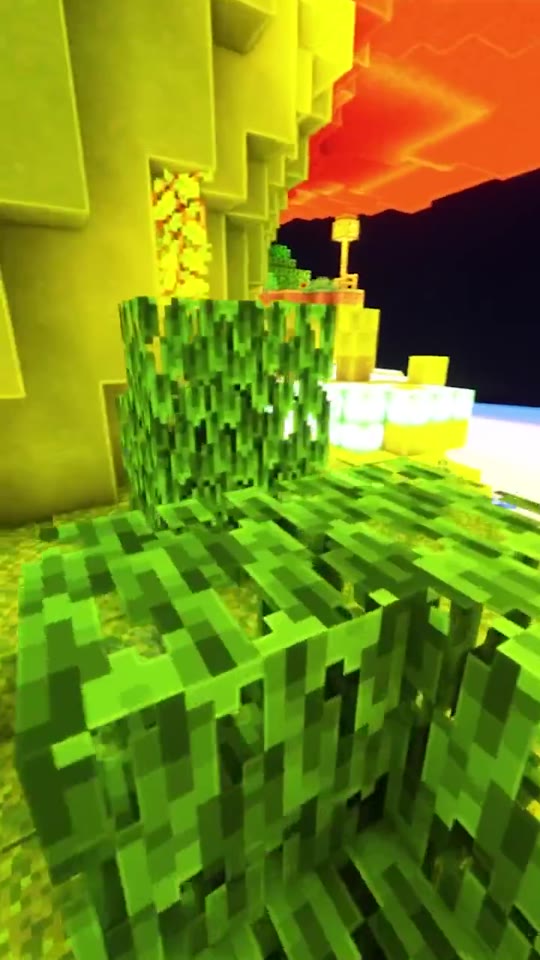
Un generatore di brainrot trasforma righe di testo nei video verticali dal montaggio serratissimo che riempiono YouTube Shorts, TikTok e Instagram Reels: personaggi che parlano, voce narrante secca, sottotitoli impressi e sotto a tutto il gameplay che scorre in loop. Invece di costruire la voce in uno strumento, montare in un secondo e sincronizzare i sottotitoli a mano in un terzo, porti il copione e Faceless Reels monta l’intero video.
Faceless Reels è uno studio per video faceless, non un convertitore che fa una cosa sola. Il brainrot è uno dei modelli disponibili: dallo stesso account escono anche video narrativi, spiegazioni disegnate e short open source, e vengono pubblicati direttamente sui tuoi canali.
Tutto quello che serve a un brainrot, in un passaggio solo
Quello che di solito si mette insieme passando da uno strumento per la voce, uno per le immagini e un programma di montaggio, qui sta in un unico flusso.
Una piattaforma sola, niente catena di strumenti
Copione, voce, personaggi, sottotitoli, filmati di sfondo e musica vengono generati insieme: non devi esportare niente per reimportarlo nell’app successiva.
Voce in italiano, non solo interfaccia tradotta
Il copione lo scrivi in italiano, la voce IA lo recita in italiano e i sottotitoli seguono. Per un canale italiano è la differenza fra uno strumento tradotto e uno che produce brainrot pubblicabili.
Personaggi e le loro voci
Decidi tu chi pronuncia le battute e tieni lo stesso personaggio per tutta una serie, così il canale si costruisce un cast riconoscibile invece di video slegati.
Si parte dal testo, non dalle riprese
Incolla le battute direttamente nell’editor del copione, importa un file già pronto oppure scrivilo prima nell’AI Script Writer: un brainrot non si gira.
Sottotitoli impressi negli stili del formato
I sottotitoli nascono insieme al doppiaggio, in stile Bold Stroke, Red Highlight, Karaoke o Clarity. Senza non si guarda niente, quindi non sono un ripensamento finale.
Pensato per la quantità
Metti i video in coda uno dietro l’altro e tieni un ritmo di pubblicazione. Chi guadagna in questa nicchia pubblica più brainrot al giorno su più canali, non un singolo caso virale.
Come creare un brainrot in quattro passaggi
Dall’idea grezza al brainrot verticale pronto da pubblicare.
- 1
Scrivi o importa il copione
Incolla il dialogo una battuta per riga, importa un file di copione che hai già, oppure scrivilo nell’AI Script Writer e riportalo qui.
- 2
Scegli personaggi e voci
Stabilisci chi dice cosa, assegna le voci IA e imposta tono e movimento: energia da meme, finto documentario o spiegazione lineare.
- 3
Imposta sfondo, musica e sottotitoli
Scegli i filmati di sfondo in loop o carica i tuoi, decidi il mix musicale e poi lo stile di sottotitoli adatto al formato.
- 4
Genera, ricontrolla, pubblica
Genera il video, sistema la battuta che non ha funzionato, poi esporta il brainrot in verticale oppure pubblicalo su YouTube Shorts, TikTok o Instagram Reels.
I formati brainrot che la gente guarda davvero
Ognuno di questi è un formato brainrot che funziona su un canale: prendine uno e portalo avanti con costanza, invece di rincorrere tutte le mode insieme.
- Personaggi brainrot italiano e la loro lore
- Telenovele di frutta e di cibo
- Video di gatti e di animali
- Appunti di studio trasformati in ripasso
- Meme spiegati sopra al gameplay
- Slang e cultura di internet smontati
- Dialoghi fra personaggi in stile reaction
- Montaggi meme di sport e cultura pop
Domande frequenti su come creare un brainrot
Le domande sul brainrot che tornano nei commenti senza che nessuno risponda davvero.
Si può creare un brainrot con ChatGPT?
Solo in parte, ed è il punto in cui quasi tutte le guide si fermano. ChatGPT ti dà l’immagine del personaggio e al massimo il testo; per la voce serve un secondo strumento, e per sottotitoli, sfondo e musica serve un programma di montaggio. Sono tre passaggi separati, ciascuno con il suo export. Qui quei tre passaggi sono uno solo: incolli il copione e esce il video finito.
Come si crea un brainrot, in pratica?
La ricetta è sempre la stessa: un copione corto e ritmato, una voce IA che lo recita in personaggio, una figura riconoscibile in campo, sottotitoli impressi e dietro il gameplay in loop. Scrivi le battute, scegli chi le dice, imposti sfondo e sottotitoli e generi. I quattro passaggi qui sopra sono esattamente questo.
Posso partire da un PDF o dagli appunti?
Sì, passando dal copione: porti il testo del documento nell’editor, oppure parti dall’argomento e lasci che l’AI Script Writer ne ricavi un copione. Da lì il generatore pensa a voce, personaggi, sottotitoli e sfondo. È così che si ottengono i video di ripasso, non solo i meme — e il copione lo scrivi in italiano, quindi anche la voce esce in italiano.
Esiste un generatore di brainrot gratis?
Puoi iniziare senza pagare: ogni account nuovo riceve crediti di benvenuto per provare il formato e capire se funziona sul tuo canale. Ogni video consuma crediti, e il prezzo esatto compare sul pulsante Genera prima che venga addebitato qualcosa. Per quantità maggiori serve un piano a pagamento.
I video brainrot si possono monetizzare su YouTube?
Possono, ma dipende dal fatto che il canale rispetti i requisiti di YouTube e che i contenuti siano davvero originali e non duplicati prodotti in serie. Da un po’ YouTube stringe sui caricamenti ripetitivi e fatti male. La strada sicura resta un formato costante con un punto di vista: un cast riconoscibile, una nicchia e copioni che valga la pena guardare.
Chi guarda i video brainrot?
Un pubblico molto più ampio di quello che suggerisce il luogo comune dei «ragazzini su TikTok». Chi legge le statistiche del proprio canale riporta con regolarità spettatori più grandi, che lasciano scorrere lunghe sessioni in riproduzione automatica invece di scegliere un video alla volta. Conta quando decidi gli argomenti: il formato è giovane, il pubblico spesso no.
Che differenza c’è con un editor video IA?
Un editor lavora su materiale che hai già girato. Un generatore di brainrot parte da un’idea o da un documento e produce lui immagine, voce e sottotitoli: prima non c’è niente da filmare né da importare.
Altri modelli di video faceless
Il brainrot è uno dei formati di Faceless Reels. Se il tuo prossimo canale ha bisogno di un altro ritmo, parti da uno di questi.