
Erklärvideo erstellen mit KI
Erklärvideo erstellen ohne Design-Kenntnisse: Thema eingeben, die KI schreibt den Text, spricht ihn ein, zeichnet jede Szene und ergänzt Untertitel und Musik.
Was ist ein KI-Erklärvideo-Generator?
Ein KI-Erklärvideo-Generator macht aus einem Thema oder einem fertigen Skript ein komplettes Erklärvideo: Narration, Voiceover, handgezeichnete Szenen, Untertitel und Musik entstehen in einem Durchgang. Klassische Erklärvideo-Software gibt dir eine leere Timeline und eine Vorlagenbibliothek – Text, Storyboard und Timing bleiben deine Aufgabe. Eine Agentur nimmt dir all das ab und stellt es entsprechend in Rechnung. Dieser Generator liegt dazwischen: Die Idee kommt von dir, über den Text behältst du die Kontrolle, und die KI zeichnet jede Szene und schneidet das Video.
Faceless Reels ist ein Studio für Faceless Videos, keine App für einen einzigen Zweck. Dieser KI-Erklärvideo-Generator teilt sich die Pipeline mit der Strichmännchen-Vorlage: Mit demselben Konto machst du auch Story-Videos, Brainrot MOV und Open-Source-Shorts – und veröffentlichst sie direkt auf deinen Kanälen.
Alles für dein Erklärvideo – in einem Durchgang
Die Schritte, die du dir sonst zwischen Erklärvideo-Software, einem Text-zu-Sprache-Werkzeug und einem Videoeditor zusammensuchst, laufen hier in einem einzigen Ablauf.
Keine Timeline, keine Keyframes
Du ziehst keinen einzigen Clip. Du gibst ein Thema ein, der Generator schreibt die Narration, baut die Szenen, legt sie auf das Voiceover und liefert einen fertigen Schnitt. Genau der Teil, der die Produktion langsam macht – das Zusammensetzen –, fällt weg.
Handgezeichnete Szenen statt Stockmaterial
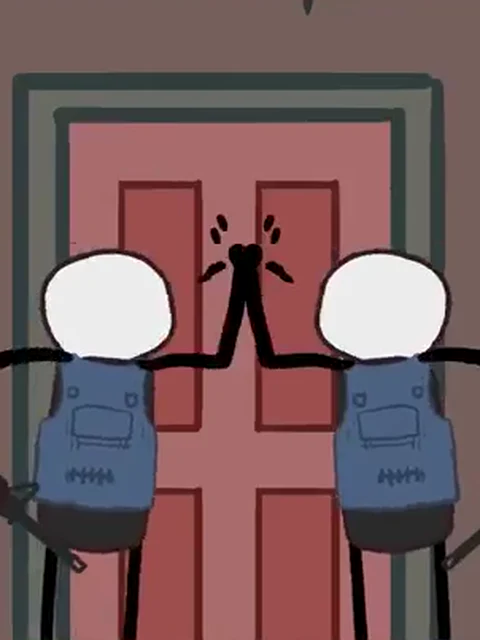
Jede Szene wird aus der Narration heraus illustriert, in einem weichen, handgezeichneten Stil. Das Bild zeigt also das, was gerade gesagt wird. Werkzeuge mit Stockvideo-Bibliothek geben dir stattdessen einen generischen Clip, der zum Satz nur ungefähr passt.
Erst der Text, dann die Stimme
Gib ein Thema ein oder füge ein fertiges Skript ein. Die KI schreibt die Narration und lässt dich jedes Wort ändern, bevor irgendetwas gezeichnet oder eingesprochen wird. So sagt das Video das, was du gemeint hast – nicht das, was ein Modell geraten hat.
Untertitel, Musik und Untertiteldatei für YouTube
Jeder Render kommt mit eingebrannten Untertiteln, einem Musikbett und einer Untertiteldatei zum Herunterladen zurück. Die lädst du zusammen mit dem Video hoch – gut für die Suche und gut für Barrierefreiheit.
Hochformat oder Breitbild, direkt veröffentlichbar
Exportiere dein Erklärvideo in 9:16 für Shorts, TikTok und Reels oder in 16:9 für die Einbettung auf deiner Website. Mit verbundenen Social-Konten veröffentlichst du direkt, ohne den Umweg über einen manuellen Upload.
Ein einheitlicher Look über die ganze Serie
Alle Szenen entstehen anhand derselben Stilreferenz. Das Erklärvideo von dieser Woche sieht deshalb noch aus wie das vom letzten Monat. Genau diese Wiedererkennbarkeit unterscheidet eine Serie, die wächst, von einer, die wie Wegwerfware wirkt.
Erklärvideo erstellen in vier Schritten
Vier Schritte vom Thema bis zum fertigen Erklärvideo, das du sofort hochladen kannst – ohne Zeichnen, ohne Schnitt und ohne Design-Kenntnisse.
- 1
Thema eingeben oder Skript einfügen
Starte mit einer Themenzeile und lass den KI-Erklärvideo-Generator recherchieren und schreiben, oder füge eine Narration ein, die du schon hast. Wenn du lieber zuerst textest, entwirfst du das Skript im AI Script Writer.
- 2
Narration prüfen, bevor gezeichnet wird
Lies den Entwurf, streiche, was sich zieht, und schärfe den Einstieg. Diesen Schritt überspringen die meisten Werkzeuge – und er entscheidet, ob das fertige Video jemand zu Ende schaut.
- 3
Szenen und Voiceover erzeugen
Jeder Abschnitt der Narration wird zu einer illustrierten Szene, passend zur Stimme getaktet. Du wählst Stimme, Seitenverhältnis und Musikbett; das Timing übernimmt der Generator.
- 4
Ansehen, exportieren, veröffentlichen
Sieh dir das Erklärvideo in der Vorschau an, exportiere hochkant oder im Breitbild mit Untertiteln und Untertiteldatei und veröffentliche auf einem verbundenen Kanal – oder lade die MP4-Datei herunter.
Wofür Menschen hier ein Erklärvideo erstellen
Ein animiertes Erklärvideo eignet sich ungewöhnlich gut für abstrakte Themen, weil die Illustration dem Argument nicht im Weg steht. In diesen Bereichen zahlt sich das Format aus – im deutschsprachigen Raum vor allem in Schule und Weiterbildung.
- Erklärvideos für den Unterricht, für Vertretungsstunden und für Flipped-Classroom-Einheiten
- Referate, Hausaufgaben und Projektpräsentationen von Schülerinnen und Schülern
- Produkt- und Feature-Erklärvideos für SaaS
- Animierte Erklärvideos für Launch und Produktdemo
- Online-Kurse, Lerneinheiten und betriebliche Weiterbildung
- Onboarding und Mitarbeiterschulungen
- Wissenschaft, Technik und „Wie funktioniert das eigentlich?“
- Finanzen, Gesundheit und Aufklärungsarbeit für Vereine und NGOs
KI-Erklärvideo-Generator oder klassische Erklärvideo-Software?
Wer nach einem Erklärvideo sucht, landet in zwei sehr verschiedenen Welten: bei Dienstleistern, die das Video für dich produzieren, und bei manuellen Werkzeugen wie Powtoon, Vyond oder Canva, die dir eine leere Fläche hinstellen. Hier ist die ehrliche Aufteilung in drei Wege, damit du den passenden wählst und nicht den, der zuerst rankt.
| Worauf es ankommt | Agentur oder Erklärvideo-Software | Dieser KI-Erklärvideo-Generator |
|---|---|---|
| Kosten pro Video | Agenturen liegen für ein Erklärvideo von 60 bis 90 Sekunden grob zwischen 1.000 und 10.000 Euro, je nach Stil und Anzahl der Korrekturschleifen. Manuelle Software kostet weniger und rechnet in deinen Arbeitsstunden ab. | Nach Credits abgerechnet, ein Bruchteil eines Agenturangebots. Mit den Gratis-Credits zur Anmeldung probierst du das Tool aus, und den genauen Preis jedes Videos zeigt der Erstellen-Button, bevor etwas abgebucht wird. |
| Dauer bis zur fertigen Fassung | Bei einer Agentur zwei bis sechs Wochen, sobald Skript, Storyboard, Korrekturschleifen und Vertonung mitgerechnet sind. Baust du es selbst, geht pro Video ein Tag oder mehr drauf. | Minuten deiner Aufmerksamkeit. Du schreibst und prüfst, gerendert wird im Hintergrund. |
| Wer schreibt das Skript | Du briefst die Agentur und gibst ihren Entwurf frei. In manueller Erklärvideo-Software liegt das Skript vollständig bei dir – und das leere Blatt ist der langsamste Teil. | Die KI schreibt einen Entwurf aus deinem Thema, und du änderst den Text, bevor etwas gezeichnet oder eingesprochen wird. |
| Bildsprache | Maßgeschneiderte Animation von der Agentur oder Vorlagen und Stockmaterial im manuellen Werkzeug. Schnell – und es sieht aus wie bei allen anderen. | Handgezeichnete Szenen, aus deiner Narration heraus illustriert und anhand einer gemeinsamen Stilreferenz erzeugt, damit eine Serie wiedererkennbar bleibt. |
| Änderungen | Meist sind zwei oder drei Schleifen enthalten, danach wird abgerechnet. Im manuellen Editor heißt eine Änderung schlicht: Timeline wieder aufmachen. | Einen Satz umschreiben und diesen Teil neu erzeugen. Thema, Narration und Szenen sind drei prüfbare Schritte, kein einzelner undurchsichtiger Knopf. |
| Wo der jeweils andere Weg klar gewinnt | Beim Aushängeschild der Marke, bei eigenem Figurendesign und überall dort, wo es Kunstregie auf Einzelbildebene braucht. Dann ist die Agentur weiterhin die richtige Wahl. | Bei Menge und Konsistenz – das zehnte Video kostet so viel wie das erste, und genau deshalb lässt sich ein Veröffentlichungsplan überhaupt durchhalten. |
Kurzfassung: Wenn du ein einziges Aushängeschild brauchst und das Budget da ist, beauftrage eine Agentur – sie macht es besser. Wenn du regelmäßig veröffentlichen willst und nicht die Ideen, sondern die Produktion der Engpass ist, ist ein KI-Erklärvideo-Generator der kürzere Weg.
Erklärvideo erstellen: Was kostenlos geht und was nicht
Du kannst kostenlos starten und komplett im Browser rendern, ohne etwas zu installieren. Hier steht genau, was die Gratis-Credits abdecken und wo sie enden.
- 100 Gratis-Credits einmalig nach der Anmeldung, 30 Tage gültig – ein Konto ist nötig, eine Kreditkarte nicht
- Der Preis eines Erklärvideos richtet sich nach seiner Länge und den gewählten Optionen – den genauen Betrag zeigt der Erstellen-Button, bevor etwas abgebucht wird
- Läuft vollständig im Browser: keine Erklärvideo-Software zum Herunterladen oder Installieren
- Monatstarife für Teams, die nach Plan veröffentlichen – die Credits werden jeden Monat erneuert
- Einmalige Credit-Pakete für alle, die kein Abo halten wollen
- Kein unbegrenzter Gratis-Tarif – Rendern kostet echte Rechenzeit, und das sagen wir lieber offen
Wenn deine einzige Bedingung „für immer kostenlos“ lautet und du bereit bist, die Szenen von Hand zusammenzubauen, ist die manuelle Erklärvideo-Software aus dem Vergleich oben die ehrlichere Empfehlung. Der Preis dieses KI-Erklärvideo-Generators bemisst sich an den Arbeitsstunden und den Agenturrechnungen, die er dir erspart.
Tarife und Credits ansehenErklärvideo erstellen: die häufigsten Fragen
Die Fragen, die vor einem Erklärvideo-Projekt tatsächlich gestellt werden – auch die unbequemen, die auf den meisten Werkzeugseiten fehlen.
Kann ich mit dem Generator ein Erklärvideo kostenlos erstellen?
Zum Start ja. Jedes neue Konto bekommt einmalig 100 Gratis-Credits, die 30 Tage gültig sind. Damit probierst du das Tool aus, ohne Kreditkarte, aber nicht ohne Anmeldung: Jeder Render läuft auf unseren Servern und liegt danach in deinem Workspace, damit du deine Dateien später wiederfindest. Was ein Erklärvideo kostet, hängt von seiner Länge und den gewählten Optionen ab; den genauen Preis zeigt der Erstellen-Button, bevor etwas abgebucht wird. Anschließend arbeitest du mit Monatstarifen oder einmaligen Credit-Paketen. Einen unbegrenzten Gratis-Tarif gibt es nicht. Rendern kostet echte Rechenzeit, und Anbieter, die etwas anderes versprechen, holen sich das Geld meist an einer unauffälligeren Stelle zurück.
Wie kann ich ein KI-Erklärvideo aus einem vorhandenen Text erstellen?
Füge den Text einfach in das Skriptfeld ein – ein Hilfeartikel, ein Blogbeitrag, ein Handout oder ein Stundenentwurf funktionieren alle gleich gut. Der Generator übernimmt deine Formulierungen, teilt sie in Szenen auf, spricht sie ein und illustriert jeden Abschnitt. Wenn du noch keinen Text hast, reicht eine Themenzeile: Die KI recherchiert und schreibt einen Entwurf, den du vor dem Rendern überarbeitest. Wer lieber getrennt schreibt, nutzt dafür den AI Script Writer und bringt den fertigen Text zurück.
Wie erstelle ich ein Erklärvideo für den Unterricht?
Im Prinzip wie jedes andere: Thema oder Stundenentwurf eingeben, den Textentwurf an das Lernniveau deiner Klasse anpassen, rendern. Für den Unterricht lohnen sich drei Dinge besonders. Erstens: Kürze das Skript stärker, als es sich richtig anfühlt – vier bis sechs Sätze pro Minute reichen, wenn das Bild mitarbeitet. Zweitens: Exportiere im Breitbild 16:9, wenn du über Beamer oder Whiteboard zeigst, und im Hochformat nur für die Lernplattform am Handy. Drittens: Lade die Untertiteldatei mit hoch – sie hilft beim Nachlesen und macht das Video für Schülerinnen und Schüler mit Hörbeeinträchtigung nutzbar. Alles läuft im Browser, auf dem Schulrechner musst du also nichts installieren.
Dürfen Schülerinnen und Schüler damit ein Erklärvideo für ein Referat erstellen?
Technisch ja, und die Anleitung ist kurz: Thema eingeben, den Entwurf mit eigenen Worten überarbeiten, Stimme und Format wählen, rendern, MP4 herunterladen. Zwei Dinge solltest du vorher klären. Ein Konto ist nötig – bei jüngeren Schülern stimmt man das am besten vorher mit Eltern oder Lehrkraft ab. Und viele Lehrkräfte erwarten, dass KI-Unterstützung im Anhang genannt wird. Der ehrlichere und meist auch bessere Weg ist ohnehin, den Text selbst zu schreiben und die KI nur zeichnen und sprechen zu lassen. Genau dafür ist der Schritt „Narration prüfen“ da.
Kann ich das Skript ändern, das die KI schreibt?
Ja – und diesen Schritt haben wir bewusst nicht wegautomatisiert. Die Narration wird geschrieben, dir gezeigt und ist vollständig editierbar, bevor eine einzige Szene gezeichnet oder eingesprochen wird. Die meiste Kritik an KI-Videos kommt von Werkzeugen, die alles auf einmal erzeugen: Um dort einen einzigen Satz zu korrigieren, musst du das ganze Video neu würfeln.
Ist das ein Werkzeug für Whiteboard-Animation?
Nicht ganz, und der Unterschied ist wichtig. Whiteboard-Animation heißt: Eine Hand zeichnet schwarze Marker-Linien auf eine weiße Fläche, während die Narration läuft – so arbeiten VideoScribe und Doodly. Dieser Generator erzeugt stattdessen ein animiertes Erklärvideo aus handgezeichneten, weich kolorierten Szenen: derselbe erklärende Charakter, aber ohne den Effekt der zeichnenden Hand. Wenn der wörtliche Whiteboard-Look Pflicht ist, passt ein spezialisiertes Werkzeug besser.
Kann ich ein KI-Erklärvideo auf YouTube monetarisieren?
Die ehrliche Antwort: Es kommt darauf an, wie du es einsetzt, und das Risiko ist real. Die Demonetarisierungswellen, über die Creator sprechen, richteten sich gegen massenhaft produzierte, immer gleiche Uploads – nicht gegen KI-Unterstützung an sich. Trotzdem sind Kanäle mit ins Kreuzfeuer geraten. Was das Risiko senkt, ist das, was es immer gesenkt hat: ein eigener Blickwinkel, selbst überarbeitete Skripte, ein konsistentes Format und eben nicht zehn fast identische Videos am Tag. Der Generator nimmt dir die Produktionsarbeit ab, nicht aber die Notwendigkeit, etwas zu sagen zu haben.
Muss ich ein KI-Erklärvideo als KI-generiert kennzeichnen?
Die Offenlegungspflicht von YouTube zielt auf synthetische Inhalte, die man für echte Menschen, Orte oder Ereignisse halten könnte. Stilisierte handgezeichnete Illustration ist keine realistische Darstellung und fällt deshalb in der Regel nicht darunter – einer der stillen Vorteile eines gezeichneten Erklärvideos gegenüber fotorealistischem KI-Material. Verlass dich aber nicht darauf: In der EU kommen durch den AI Act zusätzliche Transparenzpflichten hinzu, und Plattformregeln ändern sich. Wirf vor dem Hochladen einen Blick in die aktuelle YouTube-Richtlinie zu veränderten oder synthetischen Inhalten.
Worin unterscheidet sich das vom Generator für Strichmännchen-Animationen?
Beide teilen sich eine Pipeline und unterscheiden sich in der Kunstrichtung. Dieser Erklärvideo-Generator arbeitet mit einem klareren, illustrativen Zeichenstil in weichen, gedeckten Farben – das passt zu Produkt, Bildung und Wirtschaftsthemen. Der Strichmännchen-Generator setzt auf kräftige Strichfiguren und eine starke Idee pro Szene, was pointierteren Geschichten guttut. Beide schreiben die Narration, sprechen sie ein und exportieren mit Untertiteln.
Weitere Faceless-Video-Generatoren
Der KI-Erklärvideo-Generator ist eine Vorlage im Studio. Wenn dein Kanal einen anderen Look braucht, starte mit einer dieser Vorlagen.